Symphony
Symphony is a community-driven CMS that uses XML/XSLT as its templating language. It’s a relatively newcomer on the CMS scene, so it doesn’t have a huge following yet, but it carries a lot of potential under its belt.
Current Version: 2.1.1
Cost: Free
Development: Community Driven
Hosting: Own Server
Source: Open Source
License: MIT License
Language: PHP, XML, XSLT
Database: MySQL
Our Impressions:
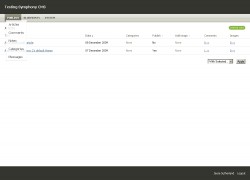
The interface is beautifully clean and simple, which makes it easy to use and understand. The underlying structure is powerful and flexible, but might take a little while to learn the XSLT templating language. Like Expression Engine, you can customize what kind of custom fields each page uses.
The program recently underwent a major rewrite which users couldn’t upgrade from their previous versions. For a non-programmer, it might be complicated to learn and understand the various components of this CMS.


Helpful Links:
- Symphony Home The best place for information about Symphony CMS
- Symphony Forum A Symphony-powered forum to talk about the CMS.
- Symphony Blog The best way to learn the new happenings.
- Suggest a Link
Related Site News:
User Reviews: Submit Your Own
You must be logged in to post a comment.
Voting has been open for this CMS since Wednesday, February 4th, 2009. There are a total of 8 Reviews for this CMS. You can follow future reviews through the RSS feed if you'd like.

Review by jaysen freelance web design London February 7th, 2015 4:49 pm

Review by James April 12th, 2012 2:07 am
Strengths: A great strength with Symphony CMS is flexible and ideal platform for building any purpose websites from mobile to desktop to enterprise. I love the way how XSLT work as a templating engine (been compare with all the templating engine in the market, they are a little complicated and I won’t recommend to big clients should there be any scalability issue) could do much powerful, better and cleaner as a module than RubyOnRail or PHP. The main selling point about XSLT is, it is *really* easy to learn as a beginner with some basic HTML knowledge. Grab any XML book and hand-on exercise on any modern web browser, you will generally master it within a week, you should learn HTML5 too which you can use within XSLT too.
You have the opportunity to learn XSLT that work exactly like any dynamic languages: PHP, ASP, etc. Should you need to command some power from PHP, calling PHP function thru a Symphony extension is easy indeed, so you will always have the best of both world.
What about security? Yes, the symphony team take security very seriously and wil patch fast enough to prevent any exploit, although by anyone can update themselves.
Installation is a 2-steps and need no dependencies except libXSLT libraries must be enabled, the best is, XSLT is available in most web hosting.
Summary, as far as I can see, if you are looking to choose your first CMS, give Symphony CMS a try and you may just love it.
Weaknesses: For most programmers include me didn’t like XML for being too verbose and a little slow in rendering page, this is because content in XML need to be transform/compile on server-side into XHTML/HTML5. to overcome performance issue, page caching as an extension.is available for install.
So far, it has no others weakness to speak of.

Review by Miki Noidea August 12th, 2011 6:29 am
Strengths: Flexible and controllable.
Ideal cms for programmers.
XSLT is something you shall learn, but in the end it worth efforts.
Weaknesses: Not suitable for amateurs.

Review by Rowan Lewis July 24th, 2010 5:44 am
Strengths: As a developer, and part time designer, Symphony has been a wonderful platform, capable of building anything from a blog to an esoteric digital asset management system.
In the past I’ve slaved away using other content management solutions, only to have them fall short of the projects goals time and time again, nothing that I’ve seen gives you the flexibility to develop what you want, with your own markup, and with your own data structures.
Symphony gives me those things by the truckload, there really isn’t anything that can come close.
Weaknesses: The one problem with having power is that you need to know how to use it, sadly Symphony has been lacking a little in this regard until quite recently.

Review by Neil Albrock May 8th, 2009 1:42 am
Strengths: Flexibility. For the programmer, used to developing solutions from scratch, Symphony offers the most friendly environment, particularly as it doesn’t impose too much of it’s own structure on you.
Templating. The use of XML and XSLT is inspired. It took me a while to get into XSLT, as it’s quite different to other languages. However, once you have unlocked it’s power you really can do anything with it.
Debug. Symphony includes a debug mode which shows you a wealth of information about the XML data being produced, variables available, templates being invoked and so on. Invaluable to the serious developer.
Extensions. There a lots of really excellent extensions available for Symphony, so if it doesn’t do it out of the box, you can usually find an extension to handle it.
Community. A vibrant community and very active forum are a fantastic resource for new and seasoned developers alike.
Weaknesses: Documentation. There is a lack of really deep documentation for Symphony. This is being addressed and the forum is really great. It can however be a little frustrating for the new developer.

Review by Ruth March 27th, 2009 10:02 am
Strengths: The simplicity of setting up a fully customised content management system. Perfect for any clients needs. Also extremely easy for clients to get to grips with.
Its templating ability is unmatch in my opinion, the use of XML means its completely flexible. A massive plus.
Support and the community is also amazing, always on hand to help with anything from problems with installing it, to making extensions and customised data-sources.
Weaknesses: There is a lack of documentation but I think the community and overture21 forum make up for that.
Its can be quite database intensive, which I’ve seen cause problems, but because of the amazing support in place, there’s already a shiny new caching feature.

Review by David March 27th, 2009 9:58 am
Strengths: It’s very quick to build stuff
Weaknesses: XSLT is a whole new language to learn.

Review by Nick Dunn March 17th, 2009 8:04 am
Strengths: * XSLT is the most structured and powerful templating language you could ever wish for
* Viewing your content as XML makes sense. Instantly obvious to a front-end developer mad on clean, semantic markup
* Content can be output as any format — HTML, XHTML, XML (native, RSS, Atom), JSON, CSV, PDF (anything that XSLT can do!)
* No more building content-entry forms for clients — define your own data models and the forms and validation are done for you
* Good performance under high load
* Growing collection of extensions to handle extra requirements (data types, caching, data migration, user management, forums, sending emails etc.)
* Have used it to build many types of site — one pagers, portfolios, forums, blogs, video/audio sharing communities, events and community voting, and even a JSON server for Google Maps
Weaknesses: * Lack of official documentation makes Extension development tricky, but more blogs are appearing and sharing experiences
* Not immediately obvious to beginners how Symphony works, but it “clicks” after a while

Strengths: The interface is beautifully clean and simple!
Weaknesses: complicated to learn and understand the various components of this CMS.